
I just received my BYOK device and I couldn’t be happier with it. One thing that I have been experimenting with since I received it are different workflows. Most mornings I do a brain dump in a daily note with the heading # Morning Pages . Over the years I have used different devices for this (Pomera DM250, iPhone, SuperNote with OCR, Laptop, iPad, and now the BYOK). One thing that is always a common part of this routine is that the note always ends up on my local computer. This is usually in an Obsidian vault, but now I’m giving Tangent Notes a go. The sync workflow I’ll be writing about in this article is tool agnostic for the destination as the files just end up as plain text markdown files. The most important point is that it goes from my BYOK to my desktop without using disk mode on the BYOK.
The Workflow
For this workflow you’ll need the following tools:
- BYOK device set to sync with BYOK Studio
- BYOK Studio account with Google Drive connection and Google Drive set to automatically sync when the BYOK syncs
- Github account with a repository set up to hold your notes (in my case, I have my entire Tangent Notes Workspace set up as a repository)
- Zapier account for the sync automation
With all of these components in place, these are my workflow steps:
- Write my morning pages with my BYOK device. The title is the date in the format of
YYYY-MM-DD(2026-01-29, for example). The first line is a markdown heading 1 that reads# Morning Pages. - I turn off the device when I am finished writing. This triggers an automatic sync with BYOK Studio.
- BYOK Studio saves the new file to my Google Drive in a specified folder.
- I have a Zapier job (Zap) that watches the Google Drive for new files. If the file contents begin with
# Morning Pages, that file is sent over to a GitHub repository with a*.mdextension (2026-01-29.md, for example). The file is pushed to a specified folder path I have designated for daily notes. - I have this remote GitHub repository set up on my local computer so that all I need to do is issue a
pullfrom the repository to get the new file right to my Tangent Workspace (I’ve written a Raycast user script to make this easier).
Zapier Job
The Zapier automation does most of the heavy lifting in this workflow. The automation is five steps:
- Google Drive Trigger: A new file is created in the BYOK designated Google Drive folder.
- Files by Zapier Action: Extract the contents of the Google Drive file.
- Filter by Zapier Action: Only continue if, upon examining the contents of the file, the string
# Morning Pagesis matched. - Formatter by Zapier Action: This step replaces the .txt file extension with .md (this is a personal preference and depends on your use case. My file will end up in Tangent so I turn it into a markdown file.
- GitHub Action: Finally, the file is created in the GitHub repository that is specified.
I’ve created a template for this Zap if you would like to import the automation into your own account.
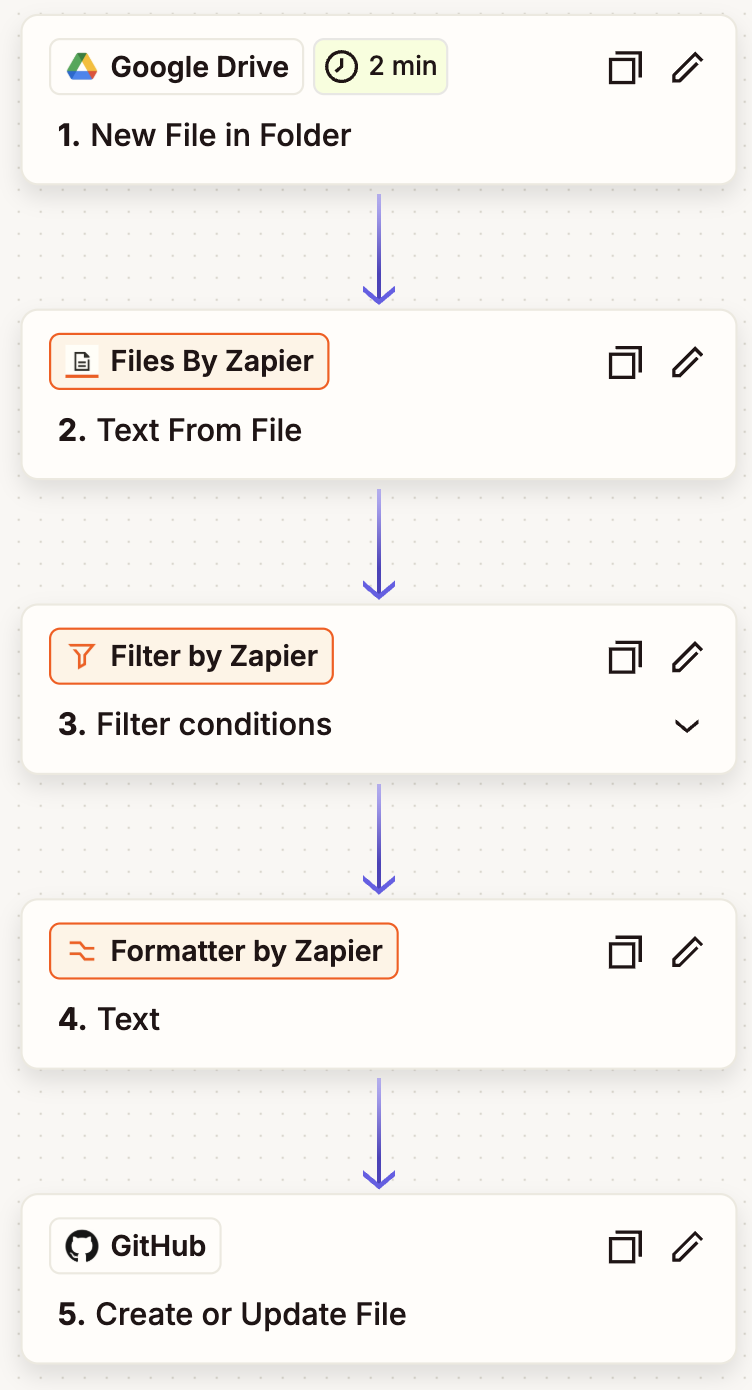
Zapier Workflow for GitHub Sync
Laptop Workflow
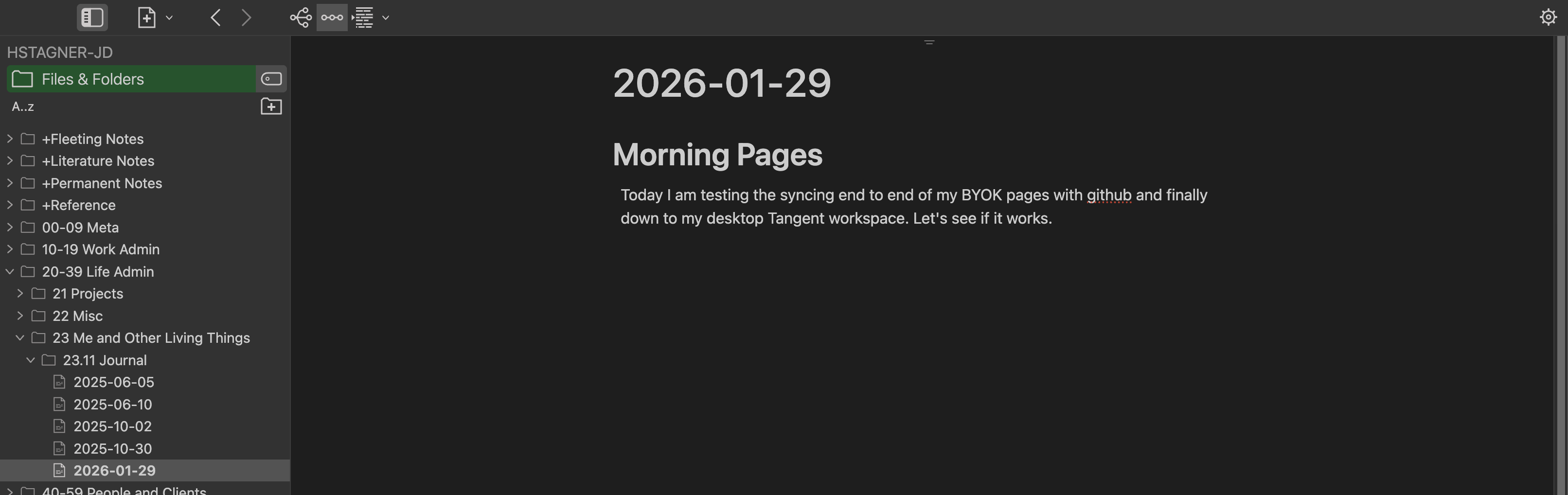
Later, if I want to interact further with that note that I started on BYOK and it has made its journey to GitHub, all I need to do is a git pull. Likewise, if I want to sync files back up to GitHub from Tangent, I can do a git push. Now I can write on my distraction-free BYOK before logging into my laptop for the day with the peace of mind that I can revisit the writing later with my tool of choice.
Bonus: Raycast Scripts
For those who are using Raycast, these are the user scripts that I created for git pull and git push.
GIT PULL
#!/bin/bash -l

# Required parameters:
# @raycast.schemaVersion 1
# @raycast.title Git Pull Tangent
# @raycast.mode fullOutput

# Optional parameters:
# @raycast.packageName Git Tools
# @raycast.icon 🐙

cd "$HOME/Documents/Tangent/HSTAGNER-JD" || exit 1
git pull origin main
GIT PUSH
#!/bin/bash -l

# Required parameters:
# @raycast.schemaVersion 1
# @raycast.title Git Push Tangent
# @raycast.mode fullOutput

# Optional parameters:
# @raycast.packageName Git Tools
# @raycast.icon 🐙
# @raycast.needsConfirmation true

cd "$HOME/Documents/Tangent/HSTAGNER-JD" || exit 1

echo "Running git status..."
git status

echo
echo "Staging changes..."
git add .

echo
echo "Committing..."
git commit -m "Tangent Push"

echo
echo "Pushing to origin/main..."
git push -u origin main